Image

Set up a new user's account before they can access and edit the site.
(* = required field)
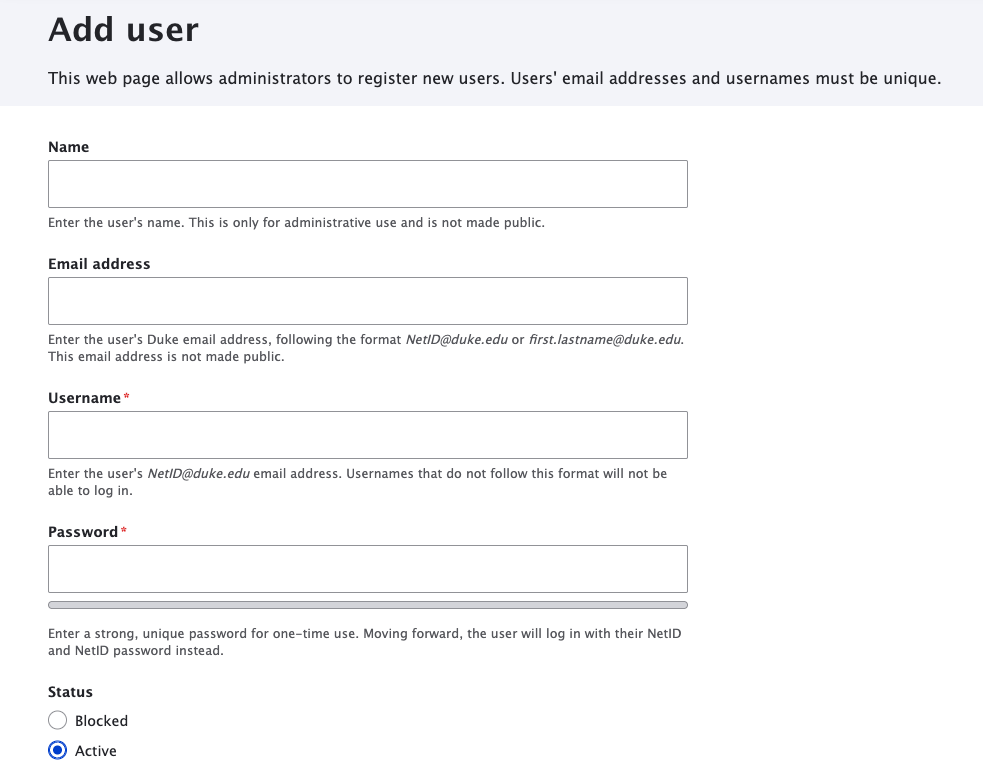
1. Go to People in the main navigation menu.
2. Once you're on the People page, click Add user.

3. Name: Add an optional name to help editors identify the user. This is only for administrative use and is not made public.
4. Email address: Add the user's Duke email address (e.g., first.lastname@duke.edu or NetID@duke.edu).
5. Username*: Add the user's NetID email address (NetID@duke.edu).
6. Password*: You must enter a password in order to create the account. Please create a strong, unique password using the Secure Password Guidelines. However, this password will not be used to log in - the user will authenticate to the site with their NetID and NetID password.
7. Status: Leave this as the default "Active" value.
8. By default, a new user will have the Authenticated User role, which will let them view unpublished content. For anything else, you will need to add Roles to each user's account. Refer to our User Role Definitions guide.
9. Click the Create new account button