Image
Pages typically make up the bulk of site content. They are informational consisting of content and media with a layout that can be customized by site editors.
Set up your Categories taxonomy terms before creating a Page.
(* = required field)
1. Go to Content in the main navigation menu, and select the Add Content button.
2. Select Page from the Add Content page.
3. Enter required Title*.
4. If applicable, select NetID Required.
5. Add an optional Hero – by selecting a Hero Block type and clicking Add Hero Block.
6. Add a Summary.
7. Add a Thumbnail Image
8. Choose all applicable Categories.
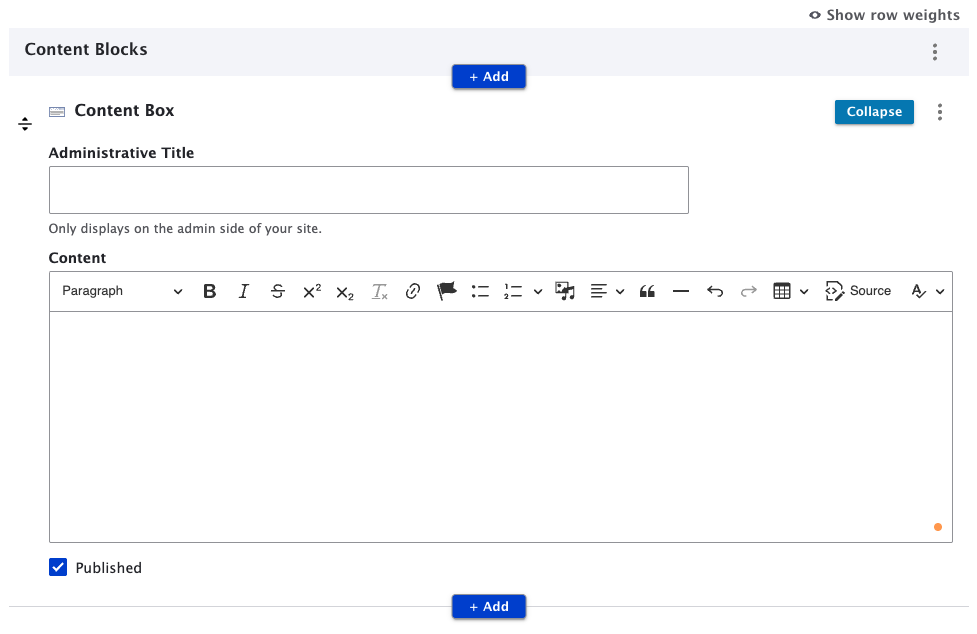
Pages are made up of Content Blocks. You can add any number of content blocks to a page. When you create a new Page, a Content Box displays by default. You can use, collapse, move, or delete it as needed.
Visit the Add Menu Links page for instructions on how to add a menu link using the page's Menu settings.
1. Click Save to publish to the website or deselect published checkbox to save as a draft.
Most of the content on this website, including this page and the homepage, uses the Page content type!